Boom Stands Vs Mic Arms: Features, Uses, And Setup Guide

If you’re setting up a home studio, podcast booth, streaming desk, or broadcast rig, one of the first decisions you’ll face is: boom stands vs mic arms. Both are designed to get your microphone off the desk and into the right position, but they serve different workflows and space requirements. Choosing the right one can dramatically improve comfort, cable management, and—most importantly—audio quality. When you’re ready to buy booms stand gear in the USA, Sole Source AV Supply is one of the best one‑stop shops for professional‑grade boom stands and mic arms from trusted brands.
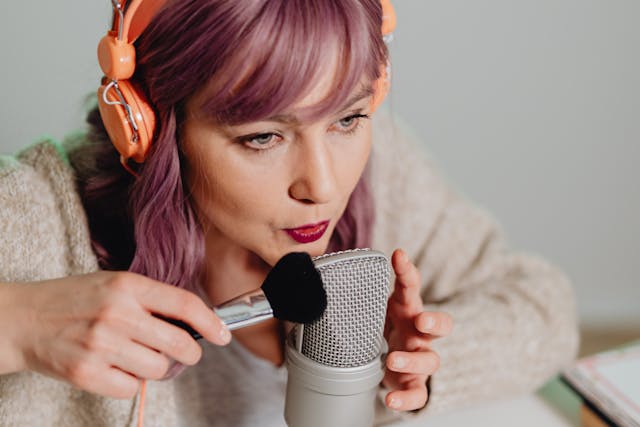
This guide breaks down features, ideal use‑cases for each, and step‑by‑step setup tips so you can upgrade your rig with confidence.
What are boom stands and mic arms?
Boom stands (floor stands)
A boom stand is essentially a floor microphone stand with a horizontal boom arm extending from the vertical pole. It’s commonly used in studios, live sound, and broadcast environments where the microphone needs to be positioned over a chair, instrument, or overhead.
Typical features:
- Tripod base for stability across larger rooms.
- Telescoping vertical pole plus horizontal boom section.
- High‑weight capacity (often 2–5 lb+), suitable for large‑diaphragm condensers and broadcast mics.
- C‑clamp or clamp‑style mic holder on the boom end.
Because boom stands are floor‑based, they can be positioned farther from the desk and folded out of the way when not in use. This makes them ideal in recording booths, podcast studios, and multi‑mic setups.
Mic arms (desk‑mounted arms)
A mic arm (often called a mic boom arm or suspension arm) is a smaller, desk‑mounted device that clamps to the edge of a table or desk and suspends the microphone in mid‑air. They’re the go‑to choice for content creators, streamers, and podcasters who want to keep their signal chain clean and their desk surface uncluttered.
Key characteristics:
Compact clamp or base that attaches to the desk.
Multi‑joint arm with fine‑tune height and angle adjustment.
Built‑in cable management on many pro‑style models.
Designed for USB or XLR mics commonly used in home‑studio podcasting and streaming.
Mic arms excel in letting you “set and forget” mic position, adjusting for different speaking angles, and keeping the mic out of the camera frame.
When to choose a boom stand
Best for full‑scale studios and live‑room setups
Boom stands shine when you need:
Overhead miking – for capturing multiple people, instruments, or room ambiance.
Mobile‑mic positioning – on a wheeled stand you can roll around a large room or between different stations.
Heavy‑duty gear – large‑diaphragm capsule mics (e.g., Neumann‑style, broadcast mics) that are too heavy for many consumer desk arms.
Their floor‑based design also keeps vibration and desk‑noise farther from the mic, which is important if your desk is on an unstable surface or shared with a lo‑fi keyboard and mouse setup.
Common use‑cases
Podcast rooms with multiple guests and floor‑based mics.
Voice‑over booths where the mic should be positioned at vocal‑height without touching the desk.
Music recording setups (e.g., overhead drum mics, guitar‑amp mics, or shotgun‑style distance mics).
If you’re building a studio‑style rig inside a dedicated room or booth, a well‑built boom stand from a reputable supplier (like those on Sole Source AV Supply) will give you long‑term stability and smooth adjustment.
When to choose mic arms
Best for compact desks and content‑creation workflows
Mic arms really come into their own when you’re:
Streaming or recording at a gaming desk.
Posting face‑cam content where desk space must stay clean for controllers, keyboards, and monitors.
Doing frequent solo‑podcast or voice‑over sessions and want repeatable mic placement.
By moving the mic to a suspended position, mic arms reduce desk‑vibration noise (keyboards, mice, bumps) and allow you to keep the mic closer to your mouth without cluttering the shot.
Why most streamers and podcasters prefer mic arms
Set‑and‑forget positioning: once the mic is at the right height and angle, you can swing it in and out of the way.
Ergonomic comfort: no neck‑craning; you can tune the arm to suit your posture over time.
Better cable routing: many arms have internal cable runs or channels, which keeps XLR or USB cables tidy and out of the camera frame.
Mic arms are especially beloved in the “podcast‑from‑the‑home‑desk” culture, where creators value a clean, repeatable, and professional‑looking setup.
Technical and design features to watch for
Whether you’re eyeing a boom stand or a mic arm, these features distinguish solid pro‑grade gear from cheap, wobbly options.
1. Weight capacity and build material
Boom stands: Look for stands with at least 3–5 lb boom‑section capacity, especially if you plan to use large‑diaphragm mics. Metal‑construction (steel or aluminum) is preferred, with stout‑feeling telescoping poles and a wide‑grip tripod base.
Mic arms: Check the max weight rating (often listed between 2–4 lb) and ensure the arm is made from metal or reinforced alloy, not plastic‑feel extrusions. Thicker‑tube arms resist sag over time.
2. Adjustment range and smoothness
Swing‑arm reach: Look for mic arms that extend at least 20–30 inches from the clamp, giving you enough room to position the mic over or beside your head.
Boom stands should offer a telescoping boom that lets you dial in exact distance from the sound source.
Tension control: Higher‑end arms (e.g., RØDE PSA1‑style arms) use spring‑assisted tension systems so the mic stays put without drifting. Avoid “spring‑free” arms that feel flimsy or require constant re‑tuning.
3. Mounting and compatibility
Thread size: Most arms use 5/8" female thread with an adapter for 3/8" mics. Make sure this matches your mic or that an adapter is included.
Desk thickness compatibility: Mic arms are usually rated for desks between 1–2.5 inches thick; check clamp specs if you’re using a glass or unusually thick desk.
4. Cable management and rigidity
Internal cable routing: Many pro‑grade mic arms have built‑in channels that let you route XLR or USB cables through the arm body, cutting down on visible wires and accidental snags.
Anti‑vibration features: Some arms and boom‑stand heads include foam‑lined or suspension‑style mounts that reduce handling‑noise and minor bumps.
Workflow and user‑experience differences
Beyond hard specs, how each device feels in your daily workflow matters a lot.
Working with boom stands
You typically park the stand once and only move it when you change the room setup.
Adjusting the mic height and boom angle is slightly slower but gives you a lot of “room” space to work with (e.g., moving between standing and seated positions).
They’re great if you share a room between multiple people or mics, since you can wheel them around without re‑clamping.
However, boom stands can feel bulky in a small bedroom or cramped desk corner, and they often lack the “one‑hand” swing‑in/out convenience of a desk‑mounted mic arm.
Working with Mic Arms
This is where mic arms really distinguish themselves:
Quick‑positioning: You can swing the mic into your normal speaking zone, then pull it away when you’re not recording.
Consistent positioning: Once tuned, the arm holds the mic at the same distance and angle, so your gain‑structure and proximity‑effect stay stable across sessions.
Mic arms are ideal if you record frequently and want a “hands‑free” workflow where the mic is always ready at the same spot.
How to set up a boom stand: step‑by‑step
Here’s a streamlined setup guide for a typical floor boom stand (good for studios, podcast booths, and live‑room recording).
Step 1: Assemble the base and pole
Unfold the tripod base and lock the legs.
Insert the vertical pole into the base and tighten the locking collar.
If the stand has a telescoping boom, extend it to your preferred length and tighten the clamp.
Ensure the stand feels stable and doesn’t wobble; adjust leg angles if needed.
Step 2: Attach the mic holder and mic
Attach a shock‑mount or suspended mic clip to the end of the boom.
Screw your microphone into the mount, making sure it’s snug but not over‑tightened.
Double‑check that the mic is pointing in the correct direction (e.g., cardioid axis toward the speaker).
Step 3: Position the boom stand
Place the stand at the desired distance from the speaker or instrument.
Adjust the vertical pole height so the mic sits at mouth level (or slightly above) for voice‑over.
Angle the boom arm so the mic is 6–12 inches from the speaker, depending on your desired sound and room acoustics.
Step 4: Secure cables and fine‑tune
Route the XLR cable across the floor or along the stand’s structure, avoiding loose loops that can catch on feet.
Do a quick test recording to check for background noise, proximity‑effect booms, or plosives; adjust mic angle or distance as needed.
How to set up a mic arm: step‑by‑step
Setting up a mic arm is generally faster and more ergonomic, especially on a desk. Here’s a universal‑style workflow that matches how most quality arms (including those sold at Sole Source AV Supply) are designed.
Step 1: Choose and prepare the clamp point
Pick a solid, flat edge on your desk (avoid thin or flimsy surfaces).
If your arm uses a clamp‑style base, open the clamp and slide it to the edge, then tighten the handle until it feels secure but isn’t damaging the desk.
Some arms need a gorilla‑grip pad or rubberized base to avoid scratching; check the manufacturer’s instructions.
Step 2: Mount the arm and adjust tension
Attach the arm body to the base or clamp, usually via a threaded bolt or quick‑release plate.
Check the tension/spring mechanism—some arms let you tighten or loosen the spring tension so the mic doesn’t sag or drift.
Follow the manual’s guidance for balancing the mic weight; heavier mics may require a tighter spring.
Step 3: Attach and position the microphone
Screw the mic (or its shock‑mount) into the arm’s mic‑thread adapter.
Adjust the angle of the mic so the diaphragm is pointing toward your mouth.
Then:
Extend the arm so the mic sits about 6–8 inches from your mouth.
Tilt the boom slightly upward or downward to avoid pointing directly at your lips (helps reduce plosives).
Step 4: Route cables and test
If your arm has internal cable channels, feed the XLR or USB cable through the arm body and out the base.
Secure loose cable ends with velcro or clips to avoid tugs that could disturb the arm’s position.
Do a short test: speak in your normal recording range and check for:
Consistent level and presence.
Any clunking or rubbing when you move your chair or lean back.
If the mic drifts over time, slightly increase the arm’s tension or re‑balance the weight.
Space, ergonomics, and long‑term use
Both boom stands and mic arms affect how you sit, move, and interact with your desk.
Boom stands and room ergonomics
Because boom stands live on the floor, they let you:
Keep more desk space free for gear, keyboards, and monitors.
Move the mic around the room without re‑clamping.
Position the mic at different heights (e.g., standing vs. seated) by adjusting the pole.
However, they can feel intrusive in small rooms and may require you to rearrange furniture when you move the stand.
Mic arms and “desk‑real‑estate”
Mic arms are ideal when every inch of desk space matters:
You can stack monitors, keyboards, and audio‑interface gear without the mic blocking the layout.
The mic can be swung out of the way when you’re typing or gaming, then snapped back into position for recording.
The big ergonomic win is that you can tune the arm to your posture (sitting style, chair height, and monitor angle) so your voice stays consistently close to the mic without neck strain.
Audio‑quality implications
Surprisingly, the choice between boom stands and mic arms can subtly impact your sound.
Desk‑noise and vibration
Desktop–style mic stands (non‑arm) sitting on the desk are more likely to pick up keyboard taps, mouse clicks, and desk bumps.
Mic arms and boom stands suspend the mic away from the desk surface, which helps reduce vibration‑induced low‑end rumble and handling‑noise.
Proximity‑effect and consistency
When the mic is attached to a rigid boom stand or well‑tuned mic arm, you can maintain a constant distance from your mouth, which stabilizes bass‑boost from the proximity‑effect and makes compression and gain‑riding easier.
If the mic drifts closer or farther every session, listeners will notice inconsistent weight and “distance” in your voice.
Where to buy booms stands and mic arms in the USA
When you’re ready to invest in a professional‑grade rig, sourcing from a reputable AV supplier makes a big difference in build quality, return options, and accessory availability.
Sole Source AV Supply (https://www.solesourceav.com/pro-audio-equipment/ssav-audio-ct-booms-mic-arms.html) is a strong choice for purchasing booms stands and mic arms in the USA. Their “Booms & Mic Arms” section offers a wide selection of:
Floor boom stands with strong tripod bases and telescoping booms.
Desk‑mounted mic arms from known brands and pro‑broadcast lines.
Accessories like risers, clamps, and mounting kits that integrate seamlessly with popular mic‑arm systems.
Whether you’re assembling a podcast room, a small streaming studio, or a voice‑over booth, buying from a single, focused supplier like Sole Source AV Supply helps you mix and match components more reliably and usually gives you better pricing on bundle‑style gear.
Which should you get: final recommendation
Here’s a quick rule‑of‑thumb to decide between boom stands and mic arms:
Choose a boom stand if:
You’re in a dedicated room or studio.
You use large‑diaphragm mics or plan on multi‑mic setups.
You want maximum flexibility across the room and don’t mind a floor‑based setup.